

Blog
Best projectors for classrooms, churches, and boardrooms


A dim projector in a bright Kenyan classroom frustrates teachers and students alike. Churches and boardrooms have the same problem: ambient light, throw distance, and cable runs decide success more than the brochure “4K” badge. Measure the room before you fall in love with a feature list.
Start with projectors and note window positions, wall colour, and where people walk. A bright image that is blocked by the preacher or presenter every minute is still a bad install.
Lumens fight light. A boardroom with blackout curtains can use a modest projector. A church with large windows needs more brightness or better light control—otherwise you buy twice.
Match lumens to the space. Rough guide: smaller dark rooms can work from mid-range brightness; large halls and daylit rooms need higher lumen ratings and often a proper screen instead of a painted wall that absorbs light. Throw distance is the gap from lens to screen—short-throw models sit closer and reduce people walking through the beam. Standard throw needs more rear space. Measure seating layout so the image is readable from the back row without blocking aisles or choir positions. Bring a tape measure to the shop or send photos with approximate metres marked so advice is based on your room, not a generic brochure.
Inputs must fit how you present. HDMI from a laptop is the daily path for most schools and offices. Keep a spare HDMI cable in the AV box—borrowed cables grow legs. Wireless casting helps guests, but wired HDMI remains the reliable fallback when Wi-Fi is congested during events or parents’ evenings. Check native resolution: WXGA or Full HD is enough for most slides and scripture text; higher resolutions help detailed diagrams if the budget allows. Confirm your laptop ports so you are not scrambling for adapters five minutes before the sermon or pitch.

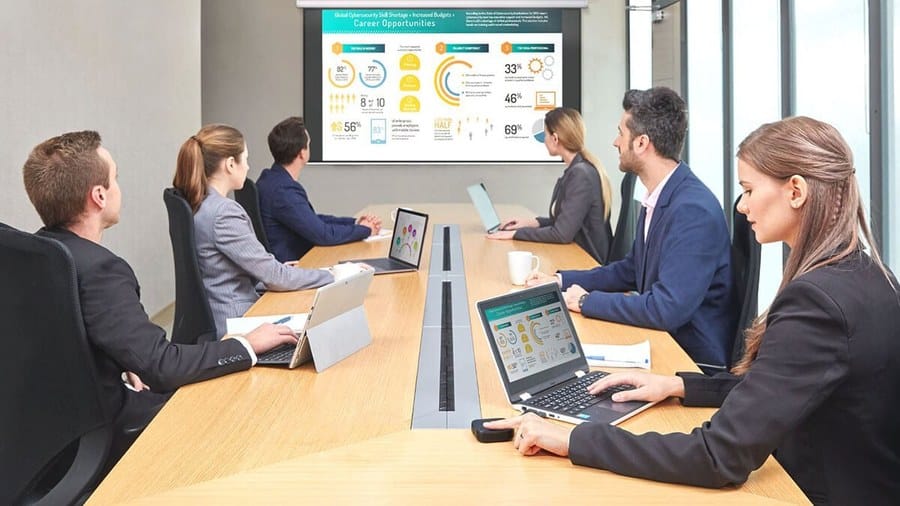
Mounting and ventilation matter. Ceiling mounts free floor space but need safe cabling and access for filter cleaning. Dusty environments clog filters and overheat lamps or laser modules—common in unfinished halls and classrooms near chalk or construction dust. Budget for a screen with a gain suitable for your lighting, and black borders that improve perceived contrast. For churches, also plan audio separately—projectors do not replace a proper PA, and laptop speakers will not fill a hall.
Lamp vs laser/LED longevity affects running cost. Lamp models are cheaper upfront but need replacements and careful handling of hot bulbs. Laser/LED lasts longer with less maintenance—useful for venues without a full-time technician. Whatever you choose, keep spare cables, remote batteries, and a written startup checklist for volunteers or teachers. Browse projectors and pair with cables from accessories so the first Sunday or Monday does not fail on a missing HDMI lead.
Projectors for teaching and meetings

Ugreen US128 USB 3.0 A-Male to A-Male Cable 3m Black
Original price was: KSh 800.00.KSh 600.00Current price is: KSh 600.00. ex VAT
Ugreen MU105 Silent Wireless Mouse 2400 DPI Moonlight Gray
Original price was: KSh 1,100.00.KSh 800.00Current price is: KSh 800.00. ex VAT
TP-Link Deco X50 AX3000 Whole Home Mesh Wi-Fi 6 System (3 Pack)
Original price was: KSh 43,900.00.KSh 36,000.00Current price is: KSh 36,000.00. ex VAT
HP 65W Type-C Adapter 1HE08AA USB-C Power Delivery
Original price was: KSh 7,700.00.KSh 6,000.00Current price is: KSh 6,000.00. ex VAT
Kensington Universal 3-in-1 2.0 Combination Laptop Lock, 1.8m Carbon Steel Cable
Original price was: KSh 6,500.00.KSh 5,600.00Current price is: KSh 5,600.00. ex VATMeasure room light, throw distance, and audience size. Prioritise brightness and HDMI reliability over unused features. Plan mount, screen, and spare cables as one package.
Compare models in projectors at Litmus Kenya—bring room dimensions and photos of windows for a practical pick.


Lumens for a bright hall > 4K marketing. This nailed it.
Screen + blackout curtains helped more than upgrading the projector.
Short-throw for small classrooms — less shadow when you write.
HDMI + wireless cast options. Guests always forget adapters 😅
Keep a labelled adapter pouch in the room. Saves every meeting.