

Free delivery in Nairobi CBD for orders above KES 20,000
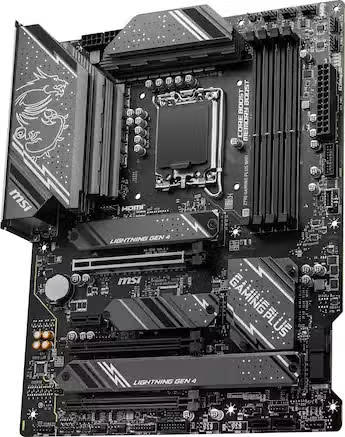
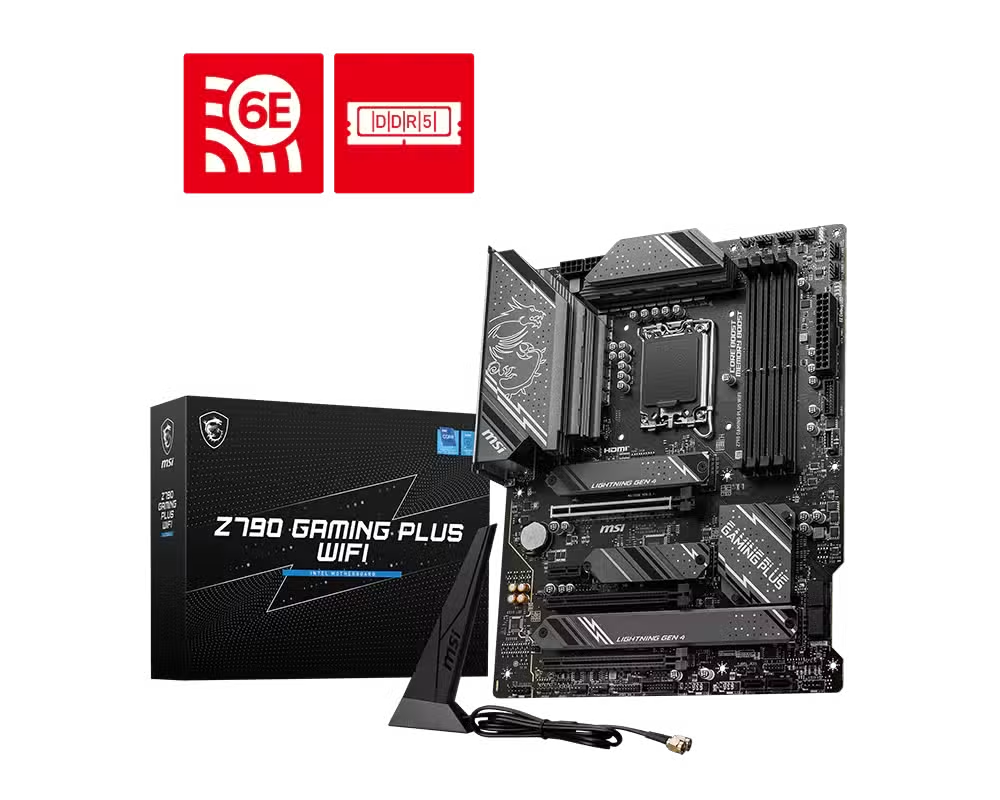
MSI Z790 Gaming Plus WiFi ATX Motherboard LGA 1700 DDR5 PCIe 5.0
Original price was: KSh 57,100.00.KSh 48,000.00Current price is: KSh 48,000.00. ex VAT
MSI Z790 Gaming Plus WiFi ATX Motherboard LGA 1700 DDR5 PCIe 5.0
| Model | Z790 GAMING PLUS WIFI |
| Part Number | 911-7E06-084 |
| Chipset | Intel Z790 |
| CPU Socket | LGA 1700 |
| Memory | 4x DDR5, up to 256 GB, 7200+ MHz OC |
| Expansion | PCIe 5.0 x16, PCIe 4.0 x16 (x4), PCIe 3.0 x1 |
| Storage | 4x M.2 PCIe 4.0 x4, 6x SATA 6 Gb/s |
| LAN | Intel 2.5 GbE |
| Wireless | Wi-Fi 6E, Bluetooth 5.3 |
| Form Factor | ATX |
Same day Delivery
Delivery

We deliver to the address you provide. Nairobi is often same-day on business days.
Across the country
Delivery outside CBD starts from KES 300
Warranty 1 year

72-hour (3-day) returns

Description
Intel Z790 ATX Platform for LGA 1700 Builds
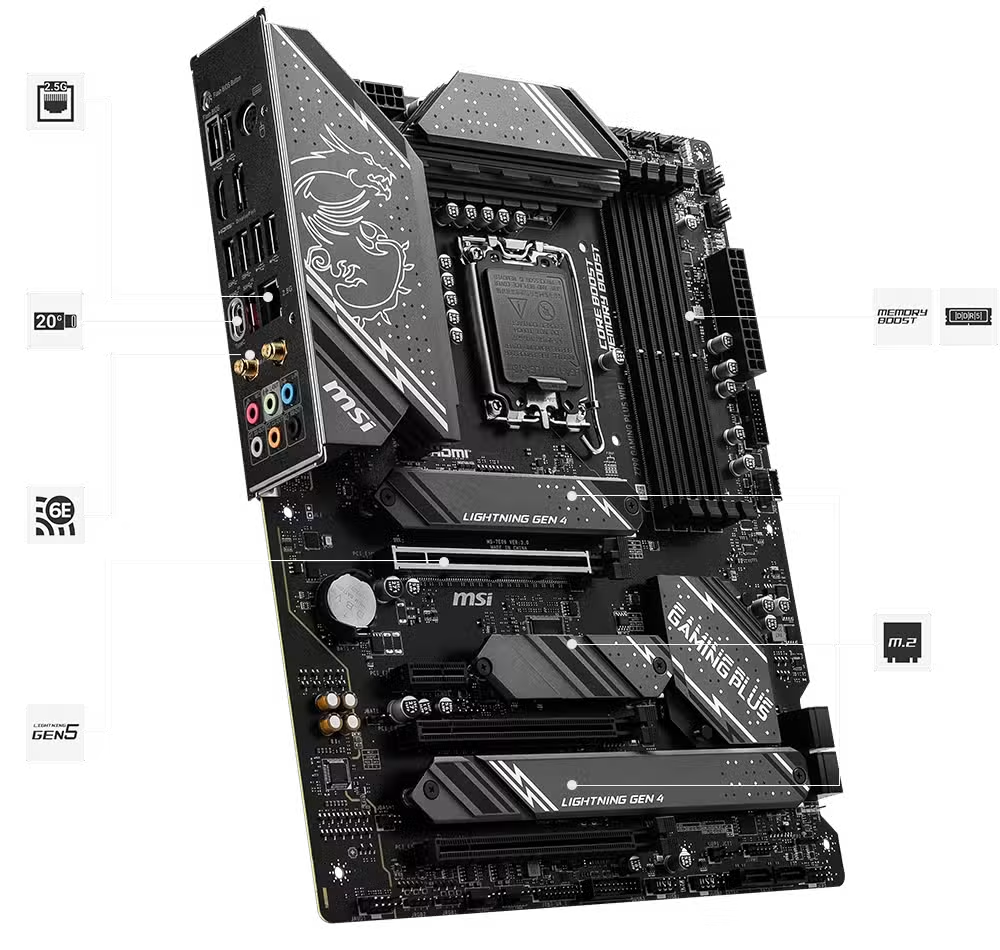
The MSI Z790 Gaming Plus motherboard runs the Intel Z790 chipset across an ATX PCB and supports 14th, 13th and 12th Gen Core processors on LGA 1700. Four DDR5 DIMM slots accept up to 256 GB and reach 7200+ MHz with overclocking. A PCIe 5.0 x16 slot feeds the primary graphics card at 128 GB/s.
The board carries four M.2 PCIe 4.0 x4 slots and six SATA 6 Gb/s ports. Two M.2 mounts accept SATA drives alongside NVMe. RAID 0, 1, 5 and 10 cover both storage pools. M.2 Shield Frozr heatsinks sit over the drive mounts to limit thermal throttling under sustained writes.
Intel Wi-Fi 6E and Bluetooth 5.3 run from a pre-installed M.2 Key-E module. An Intel 2.5 GbE controller handles wired traffic. The rear panel adds USB 3.2 Gen 2×2 Type-C at 20 Gbps, HDMI 2.1, DisplayPort 1.4 and a Flash BIOS button. A 14+1+1 Duet Rail VRM with dual 8-pin CPU connectors feeds the socket.
Key Features
14+1+1 Duet Rail VRM
DrMOS power stages and dual 8-pin CPU connectors deliver stable current to overclocked multi-core processors.DDR5 Memory Architecture
- Four DIMM slots, 256 GB maximum capacity
- 7200+ MHz OC with XMP 3.0 profiles
- Dual-channel, non-ECC unbuffered support
PCIe 5.0 x16 Expansion
Steel Armor reinforcement protects the primary slot, which carries 128 GB/s of graphics bandwidth.Quad M.2 Storage Array
Four PCIe 4.0 x4 M.2 slots pair with six SATA ports for mixed NVMe and hard drive builds.Wi-Fi 6E and 2.5G LAN
An Intel Wi-Fi 6E module covers 2.4, 5 and 6 GHz bands, while the 2.5 GbE controller doubles common gigabit throughput.Extended Thermal Design
VRM heatsinks, 7 W/mK MOSFET pads and M.2 Shield Frozr plates spread heat away from power delivery and storage.USB 3.2 Gen 2×2 Type-C
The rear 20 Gbps port moves large project files and external SSDs without a separate add-in card.
Specifications
| Feature | Specification |
|---|---|
| Brand | MSI |
| Model | Z790 GAMING PLUS WIFI |
| Part Number | 911-7E06-084 |
| Chipset | Intel Z790 |
| CPU Socket | LGA 1700 |
| CPU Support | Intel Core 14th/13th/12th Gen, Pentium Gold, Celeron |
| Form Factor | ATX (243.84 mm x 304.8 mm) |
| Memory | 4x DDR5 DIMM, 256 GB maximum, 7200+ MHz OC |
| Memory Channels | Dual-channel, non-ECC, unbuffered |
| Expansion Slots | 1x PCIe 5.0 x16, 1x PCIe 4.0 x16 (x4), 1x PCIe 3.0 x1, 1x PCIe 3.0 x16 (x1) |
| Storage | 4x M.2 PCIe 4.0 x4 (two support SATA), 6x SATA 6 Gb/s |
| RAID | 0, 1, 5, 10 for SATA and M.2 NVMe |
| LAN | Intel 2.5 GbE |
| Wireless | Intel Wi-Fi 6E (2.4/5/6 GHz), Bluetooth 5.3 |
| Audio | Realtek ALC897, 7.1-channel HD |
| Rear USB | 1x USB 3.2 Gen 2×2 Type-C (20 Gbps), 1x USB 3.2 Gen 2 Type-A (10 Gbps), 2x USB 3.2 Gen 1 Type-A (5 Gbps), 4x USB 2.0 |
| Front USB | 1x USB 3.2 Gen 2 Type-C (10 Gbps), 4x USB 3.2 Gen 1 Type-A, 4x USB 2.0 |
| Display Outputs | 1x HDMI 2.1 (4K 60Hz), 1x DisplayPort 1.4 (4K 60Hz) |
| Power Connectors | 1x 24-pin ATX, 2x 8-pin CPU |
| Fan Headers | 1x CPU fan, 1x pump fan, 6x system fan |
| RGB Headers | 2x ARGB Gen 2, 2x RGB |
| Operating System | Windows 11 / 10 64-bit |
What’s in the Box
Z790 GAMING PLUS WIFI motherboard
Wi-Fi antenna
SATA cables
M.2 mounting screws and standoffs
Documentation
Why Choose the Z790 Gaming Plus WiFi
The LGA 1700 socket accepts three Intel Core generations, which simplifies fleet refreshes across mixed CPU stock.
Four M.2 slots and six SATA ports support high-capacity RAID arrays for workstation and NAS roles.
Wi-Fi 6E and 2.5 GbE give redundant network paths for failover or separate management traffic.
The Flash BIOS button updates firmware without a CPU, RAM or display attached.
ATX dimensions of 243.84 mm by 304.8 mm fit standard mid-tower and rack chassis.




Brian Kipchoge (verified owner) –
Four M.2 slots made migrating from my old build painless. I kept my gaming drive on the PCIe 5.0 x16 slot and moved everything else over without touching a single SATA cable. Board posted first time with a 13th Gen chip.
Faith Wambui (verified owner) –
Delivery to Nairobi was quick and the box arrived sealed. Build quality feels dense with the extended VRM heatsinks, and the M.2 Shield Frozr plates actually make a difference to drive temps. Happy with the purchase.
Kevin Omondi (verified owner) –
Wi-Fi 7 is the reason I picked this board and it holds a stable link through two walls in my flat. The 2.5Gb LAN also works well with my switch. Flash BIOS button saved me when I needed to update before dropping in a 14th Gen CPU.
Mercy Achieng (verified owner) –
Running 64GB of DDR5 at 7200 with XMP enabled, no stability issues after a week of stress testing. The rear USB-C at 20Gbps makes a real difference when moving large project files. Good board for a workstation build.
Dennis Mwangi (verified owner) –
Solid ATX board, though the DDR5 slot layout is tight if you have a large air cooler. Plan your cooler clearance early. Otherwise everything works as advertised.
Njeri Kamau (verified owner) –
Bought this for our office rendering rig and it’s been rock solid. The multiple fan headers let us run a full set of case fans without a controller hub, which keeps the cabling tidy. Audio is fine for meetings, nothing special but clean. The M.2 heatsinks are the standout for us since we run long export jobs. Would buy again for the next workstation.
Samuel Otieno (verified owner) –
Works well with my 12th Gen i7. The BIOS layout takes a bit of getting used to but once you know where things are it’s fine. HDMI 2.1 and DisplayPort 1.4 are useful if you run integrated graphics before installing a GPU.