

Free delivery in Nairobi CBD for orders of KES 20,000+. Otherwise, or outside the CBD, delivery starts from KES 300 — pay your chosen rider or courier on delivery.
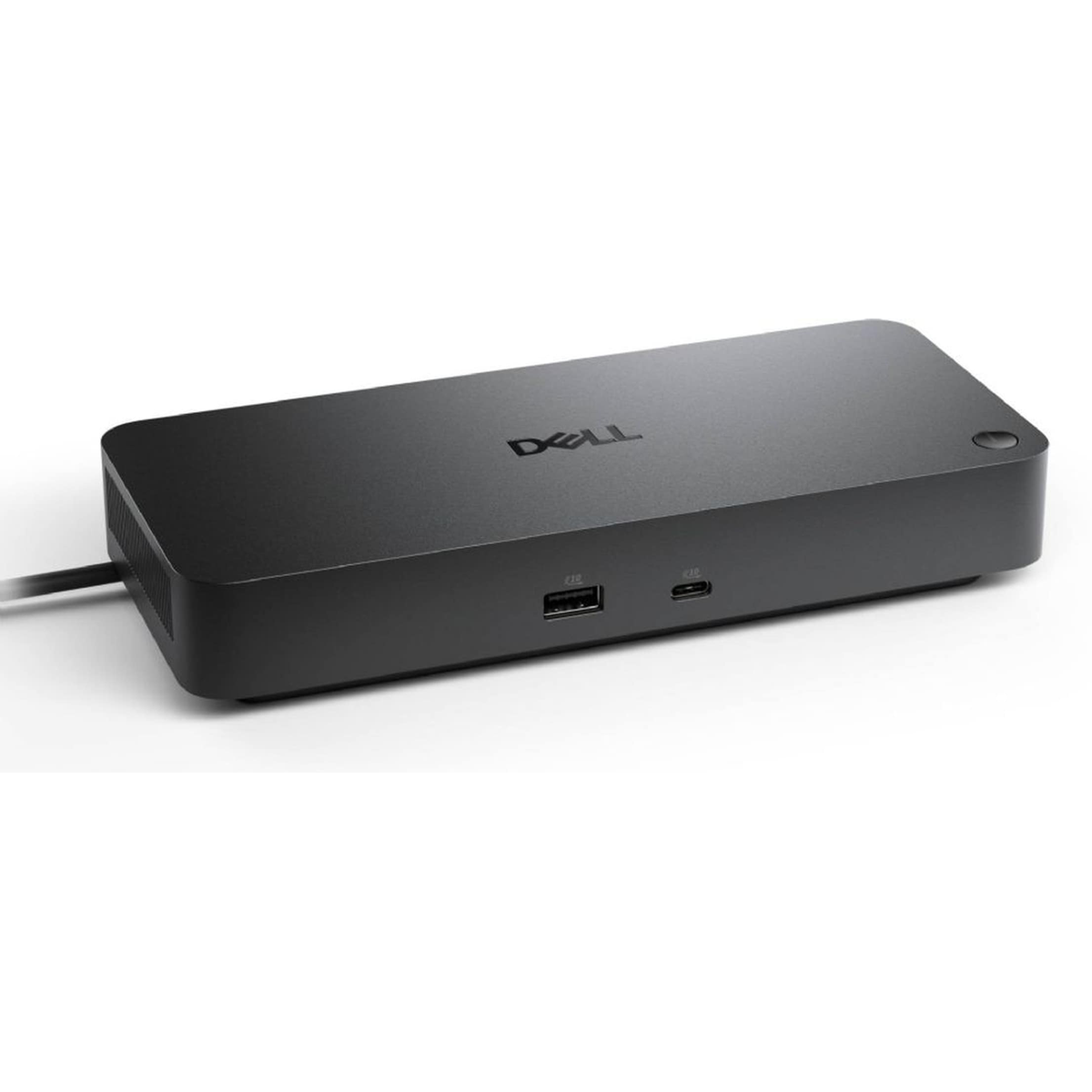
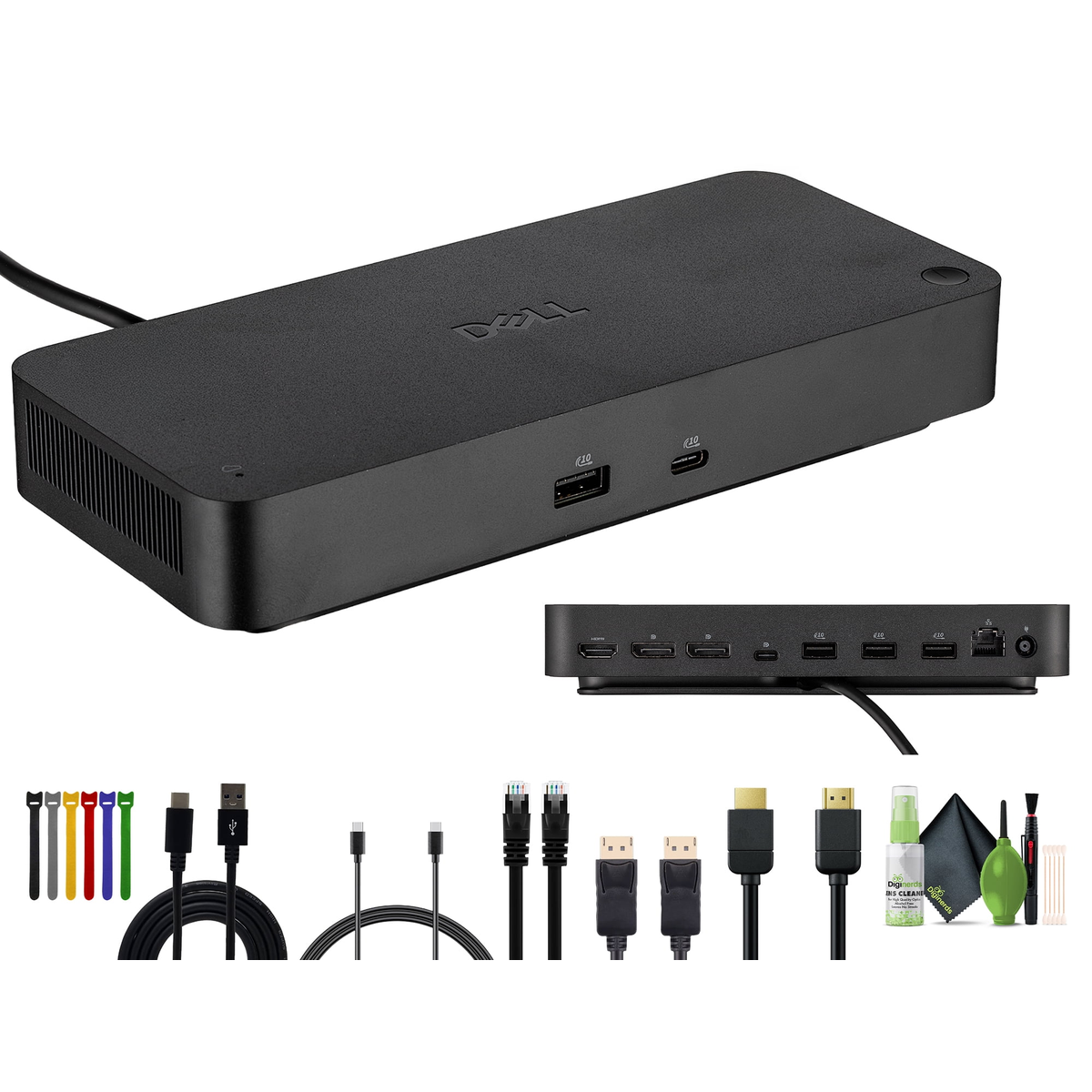
Dell Pro Dock WD25 USB-C DisplayPort HDMI Docking Station
Original price was: KSh 37,500.00.KSh 30,000.00Current price is: KSh 30,000.00. ex VAT
Dell Pro Dock WD25 USB-C DisplayPort HDMI Docking Station
| Host Connection | USB-C with DisplayPort Alt Mode |
| Video Outputs | 2x DisplayPort 1.4, 1x HDMI 2.0 |
| Power Delivery | Up to 100W to host laptop |
| USB Ports | 4x USB-A 3.2 Gen 2, 1x USB-C 3.2 Gen 2 |
| Networking | Gigabit Ethernet RJ-45 |
| Audio | Combo headphone/microphone jack |
Shipping & Delivery
Delivery

We deliver to the address you provide. Nairobi CBD is often same-day on business days.
Nairobi CBD or Kenya-wide
Free CBD ≥ KES 20,000; else from KES 300

Warranty 1 year

72-hour (3-day) returns

Description
Pro Dock WD25
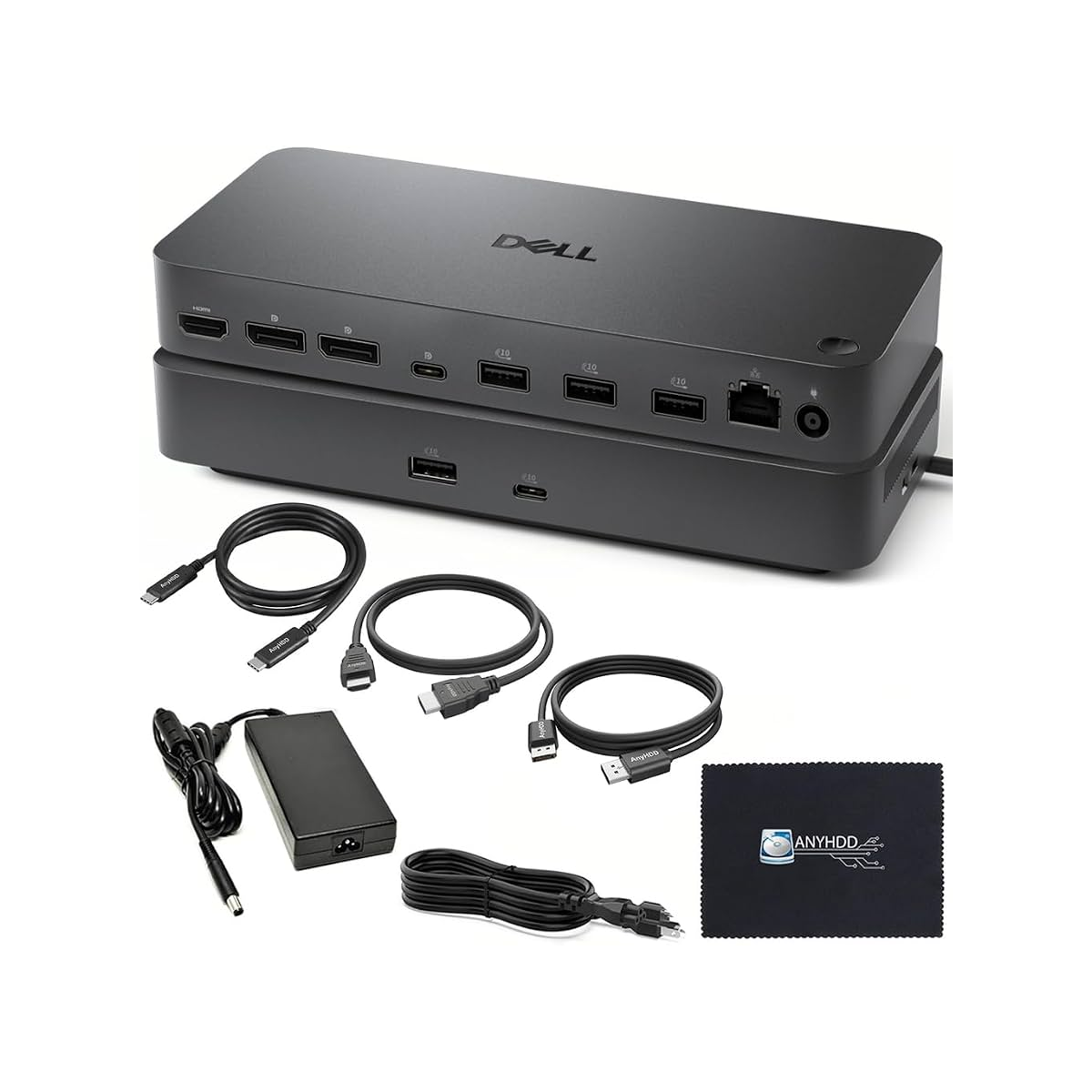
The Dell Pro Dock WD25 extends a USB-C laptop into a full desktop workstation with display, network, and peripheral connectivity over a single cable. The upstream USB-C port carries DisplayPort Alt Mode video, USB data, and up to 100 watts of power delivery to compatible Dell Pro and Latitude systems. Two DisplayPort 1.4 outputs and one HDMI 2.0 port support multi-monitor configurations based on the host GPU capability. Four USB-A 3.2 Gen 2 ports and one USB-C 3.2 Gen 2 port connect keyboards, storage, and authentication tokens.
A built-in Gigabit Ethernet RJ-45 jack provides wired network access where Wi-Fi congestion or policy requires a stable link. The combo audio jack supports headsets for call-center and hybrid-meeting setups. Dell designs the WD25 for desk-mounted deployment with a Kensington lock slot to deter theft in shared workspaces. One-cable connection reduces desk clutter and shortens the time users need to transition between mobile and docked modes.
Key Features
Single-Cable USB-C Connection
One USB-C cable carries power, video, data, and audio between the laptop and dock.Triple Video Outputs
- 2x DisplayPort 1.4 for high-refresh and 4K monitor chains
- 1x HDMI 2.0 for conference-room and legacy display compatibility
100W Power Delivery
The dock charges most business-class 14-inch and 15-inch laptops at full speed while peripherals are active.High-Speed USB Expansion
- Four USB-A 3.2 Gen 2 ports at 10 Gbps
- One USB-C 3.2 Gen 2 port for fast external SSDs
Specifications
| Feature | Specification |
|---|---|
| Model | Pro Dock WD25 (DEL-WD25) |
| Host Interface | USB-C with DisplayPort Alt Mode |
| Power Delivery | Up to 100W to host laptop |
| Video Outputs | 2x DisplayPort 1.4, 1x HDMI 2.0 |
| USB Ports | 4x USB-A 3.2 Gen 2, 1x USB-C 3.2 Gen 2 |
| Networking | Gigabit Ethernet (10/100/1000 Mbps) |
| Audio | 3.5 mm combo headphone/microphone |
| Security | Kensington lock slot |
| Compatibility | Dell Pro, Latitude, Precision USB-C systems |
What’s in the Box
WD25 USB-C docking station
130W power adapter
USB-C cable (for host connection)
Quick start guide and documentation
Why Choose WD25
IT teams can standardize one dock SKU across Pro and Latitude fleets that share USB-C Alt Mode video.
Dual DisplayPort 1.4 outputs support two 4K monitors on GPUs that list that capability in Dell documentation.
Integrated Gigabit Ethernet removes the need for a separate USB dongle on crowded desks.
100W power delivery maintains battery charge during video calls and external-drive transfers.


Olivia Chebet (verified owner) –
25k is reasonable for a Pro Dock with this port selection. Plugged into our Latitude and everything recognised instantly. Dock stays cool during full workdays.
Nicholas Mbugua (verified owner) –
WD25 dock simplified our hot-desk setup. USB-C with DP Alt Mode drives two monitors via the dual DisplayPort 1.4 outputs plus HDMI for a third when needed. Solid Dell build.
Queen Akinyi (verified owner) –
Replaced a cheap hub that kept dropping displays. WD25 handles 4K on one screen and 1080p on another without flicker. Compact footprint on a cluttered desk in our Karen home office.
Patrick Kimani (verified owner) –
Works great with my Dell laptop.