


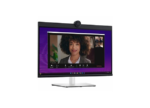


Free delivery in Nairobi CBD for orders above KES 20,000
Dell P2724DEB 27″ QHD IPS USB-C Video Conferencing Monitor
Original price was: KSh 99,100.00.KSh 78,000.00Current price is: KSh 78,000.00. ex VAT
Dell P2724DEB 27″ QHD IPS USB-C Video Conferencing Monitor
| Display Size | 27-inch (68.6 cm) |
| Resolution | 2560 x 1440 QHD at 60 Hz |
| Panel | IPS, 16:9, 350 cd/m², 1000:1 |
| Camera | 4 MP RGB + IR, 2K at 30 fps |
| Audio | 2x 5 W speakers, 2x digital microphones |
| USB-C Power | Up to 90 W power delivery |
| Network | 1x RJ45 1GbE |
| Adjustability | Height, tilt, swivel, pivot |
| VESA | 100 x 100 mm |
| Colour | Black and Silver |
Same day Delivery
Delivery

We deliver to the address you provide. Nairobi is often same-day on business days.
Across the country
Delivery outside CBD starts from KES 300
Warranty 1 year

72-hour (3-day) returns

Description
27-inch QHD Conferencing Display
Deploy the Dell P2724DEB monitor where a 27-inch QHD IPS panel and an integrated conferencing stack must serve a shared desk or huddle room. The 2560 x 1440 panel runs at 60 Hz across a 16:9 canvas and returns 350 cd/m² typical brightness. A 1000:1 contrast ratio and 5 ms grey-to-grey fast-mode response keep text and spreadsheet grids legible.
The built-in 4 MP RGB plus IR camera captures 2K at 30 fps and FHD at 60 fps. A Sony STARVIS sensor widens low-light capture, while temporal and spatial noise reduction suppress grain and motion blur. Two digital microphones with echo cancellation and two 5 W speakers handle audio without a separate soundbar. AI Auto Framing holds the speaker in frame, and Windows Hello support enables glance sign-in.
One USB 3.2 Gen1 Type-C cable carries DisplayPort 1.4 video, data, and up to 90 W to a compatible laptop. A 1 GbE RJ45 port, four downstream USB Type-A ports, and a 15 W USB-C downstream port form a single-cable dock. DisplayPort 1.4 out with MST daisy-chains a second panel. The stand offers height, tilt, swivel, and pivot adjustment, and a 100 x 100 mm VESA pattern accepts third-party arms.
Key Features
QHD IPS Panel with Wide Viewing Angles
The 2560 x 1440 native resolution, 16:9 aspect ratio, and 178-degree horizontal and vertical viewing angles suit multi-user rooms.Conferencing Camera and Audio Stack
- 4 MP RGB plus IR sensor with manual privacy shutter and dedicated microphone mute control
- Dual 5 W speakers and two echo-cancelling digital microphones
- Zoom and Microsoft Teams certification with AI Auto Framing
Single-Cable USB-C Docking
One USB 3.2 Gen1 Type-C link delivers DisplayPort 1.4 video, USB data, and up to 90 W to a compatible notebook.Wired Network and USB Hub
The RJ45 1GbE jack and four downstream USB ports remove the need for a separate dock at the desk.DisplayPort MST Daisy Chain
A DisplayPort 1.4 output extends the desktop to a second panel without an extra graphics output.Four-Way Ergonomics and VESA Support
Height, tilt, swivel, and pivot adjustment plus a 100 x 100 mm VESA interface support standing and arm-mounted builds.Built-in KVM Switch
The KVM function lets one keyboard and mouse control two connected computers over the shared display.
Specifications
| Feature | Specification |
|---|---|
| Display Size | 27-inch (68.6 cm) diagonal |
| Native Resolution | 2560 x 1440 (QHD) at 60 Hz |
| Panel Technology | IPS (In-Plane Switching) |
| Aspect Ratio | 16:9 |
| Brightness | 350 cd/m² typical |
| Contrast Ratio | 1000:1 typical |
| Response Time | 5 ms GtG fast mode, 8 ms GtG normal mode |
| Viewing Angles | 178° horizontal / 178° vertical |
| Colour Coverage | 99% sRGB |
| Camera | 4 MP RGB + IR, 2K at 30 fps, FHD at 60 fps, Sony STARVIS sensor |
| Microphones | 2x digital microphones with echo cancellation |
| Speakers | 2x 5 W |
| Video Inputs | 1x HDMI 1.4, 1x DisplayPort 1.4 |
| Video Output | 1x DisplayPort 1.4 out with MST |
| USB-C Upstream | 1x USB 3.2 Gen1 Type-C with DP 1.4 Alt Mode, up to 90 W power delivery |
| USB Upstream | 1x USB 3.2 Gen1 Type-B |
| USB Downstream | 2x USB 3.2 Gen1 Type-A, 1x USB 3.2 Gen1 Type-C (15 W), 1x USB 3.2 Gen1 Type-A (BC1.2, 2 A) |
| Network | 1x RJ45 Ethernet, 1GbE |
| Audio Jack | 1x 3.5 mm combo headphone with microphone |
| Adjustability | Height, tilt, swivel, pivot |
| VESA Mount | 100 x 100 mm |
| Colour | Black and Silver |
What’s in the Box
Dell P2724DEB display with stand
Power cable
DisplayPort-to-DisplayPort cable, 1.8 m
USB 3.2 Gen2 Type-C-to-C cable, 1.0 m
USB 3.2 Gen1 Type-A-to-B upstream cable, 1.8 m
Why Choose Dell P2724DEB
The 27-inch QHD conferencing display consolidates camera, microphones, speakers, network, and USB hub into one chassis, which reduces cabling at hot-desk positions.
A USB-C docking monitor with 90 W output powers a notebook while carrying video and Ethernet over a single cable.
The QHD IPS video monitor pairs 178-degree viewing angles with ComfortView Plus low blue light for long shifts.
MST output and the built-in KVM switch support dual-screen and dual-computer workflows without extra peripherals.
The P2724DEB conferencing panel ships with DisplayPort, USB-C, and USB upstream cables for immediate deployment.



Brian Otieno (verified owner) –
90W power delivery over the Type-C cable actually keeps my Latitude charged while running the display and Ethernet. Good build quality on the stand too, pivot is stiff in a reassuring way. Only note is you need a decent desk depth because the base is fairly wide.
Wanjiku Mwangi (verified owner) –
Took delivery of two units for our HR desk and the built-in camera has been the real win. We no longer swap around a separate webcam for interviews, and the IR sensor handles the office lighting changes well. The USB-C single-cable setup also cleaned up the desk considerably.
Faith Njeri Kamau (verified owner) –
Solid conferencing screen for the price point, microphones pick up clearly in our small boardroom.